

CRM & Business Management
Quotation management that starts at the catalogue and ends in an order
A quotation built by hand in Excel is slow to make, easy to get wrong and impossible to track. In the CRM we built, a quotation starts as a selection from the catalogue and carries its own history through to the order.
From a pick to a quotation
A salesperson picks products from the catalogue, at the office or on a tablet during a client visit, and the selection becomes a quotation. Quantities and the measures your business quotes on are totalled automatically, and client references can be attached to each line.
Exported the way the client wants it
The same quotation can go out in several forms without being rebuilt: a PDF for the buyer, a spreadsheet for their purchasing team, an image pack for the showroom. For the jewellery manufacturer we built it for, the same quotation can also go out at 9, 14 or 18 karat, or all three side by side.
- Preview and PDF
- Excel, and Excel as PDF
- An image pack of the products
- A codes-only sheet
- Print and duplicate
Draft, submitted, converted
Each quotation has a status. Mark it submitted when it goes out and convert it to an order in one step when the client agrees. Quotations that have waited too long appear in the daily list of things that need attention, so follow-up does not depend on memory.
In practice
The CRM console we designed and built
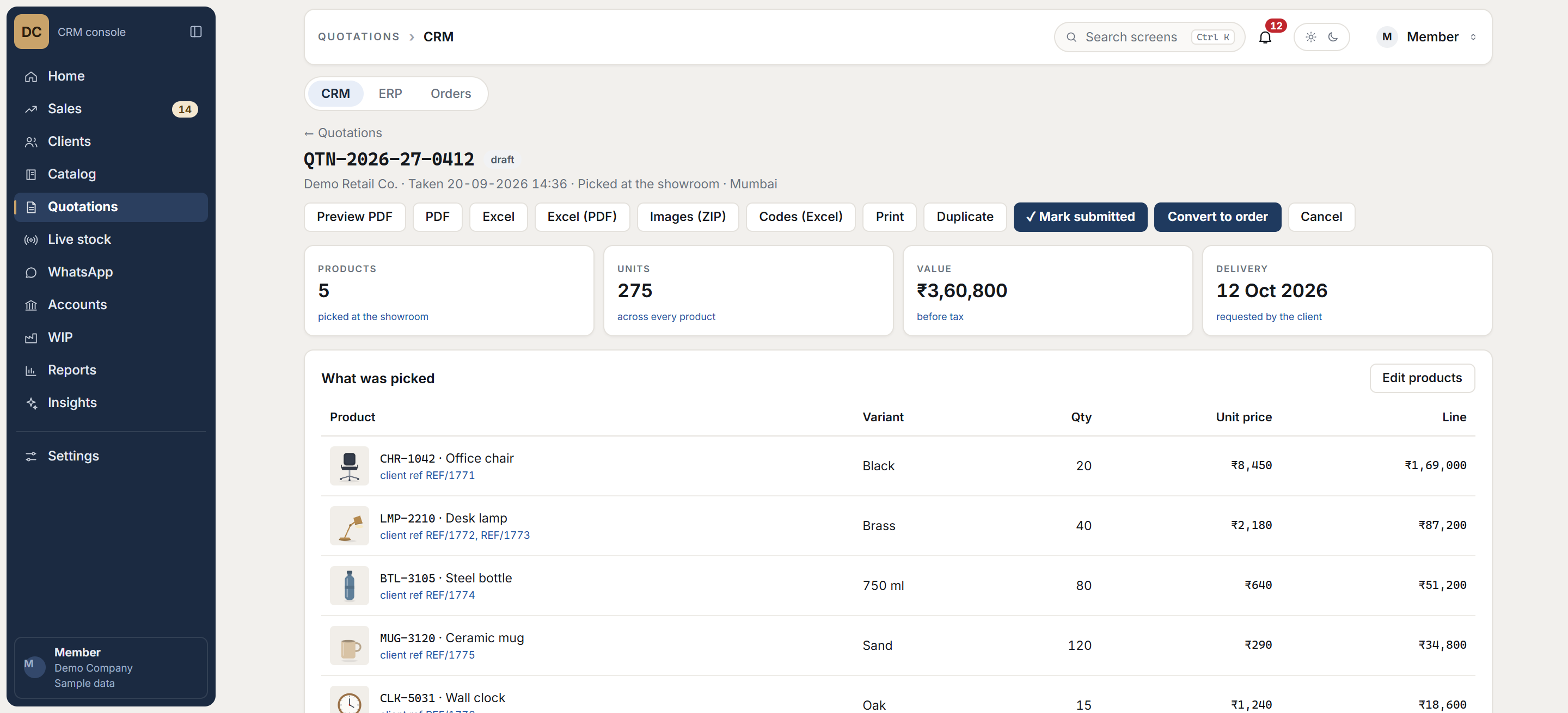
Screens recreated with sample data. The live system holds a client’s records, so it is never shown. See every screen
Questions
Common questions
Can a quotation be made at an exhibition or on a client visit?
Yes. Selections are made on a tablet and survive the tablet locking, so a stall visit is not lost. The quotation can be finished there or back at the office.
Can it show our own product attributes?
Yes. The quotation we built carries karat, weights and diamond counts because that is what a jeweller quotes on. Yours would carry whatever your buyers decide on.
What happens after the client says yes?
The quotation converts to an order in one step, keeping its lines and references, so nothing is typed twice.
Related