

CRM & Business Management
A product catalogue your sales team can actually sell from
When a catalogue runs to thousands of products, the hard part is not storing it. It is finding the right twenty in front of a client. We built a catalogue for exactly that moment.
Find it by code, or by showing a picture
Search works by product name or SKU code, and by image: show it a picture and it finds the matching products. Filters narrow the rest, and the grid can be set from one to several products across, down to two across on a phone.
- Search by code or by image
- Filter by attribute, such as category
- Variants of a product grouped together
- Import products from a sheet
Pick in front of the client
Tap a product to add it to a selection, with quantity. The selection sits beside the catalogue and survives the tablet locking, so a conversation in a showroom or at a trade-fair stall is never lost. From there it becomes a quotation in one step.
A view for each client
A set of products can be saved as a client view, so the next conversation starts with what that client likes instead of page one. Each product also shows how many times it has been shown, which says something about what sells before the orders do.
In practice
The CRM console we designed and built
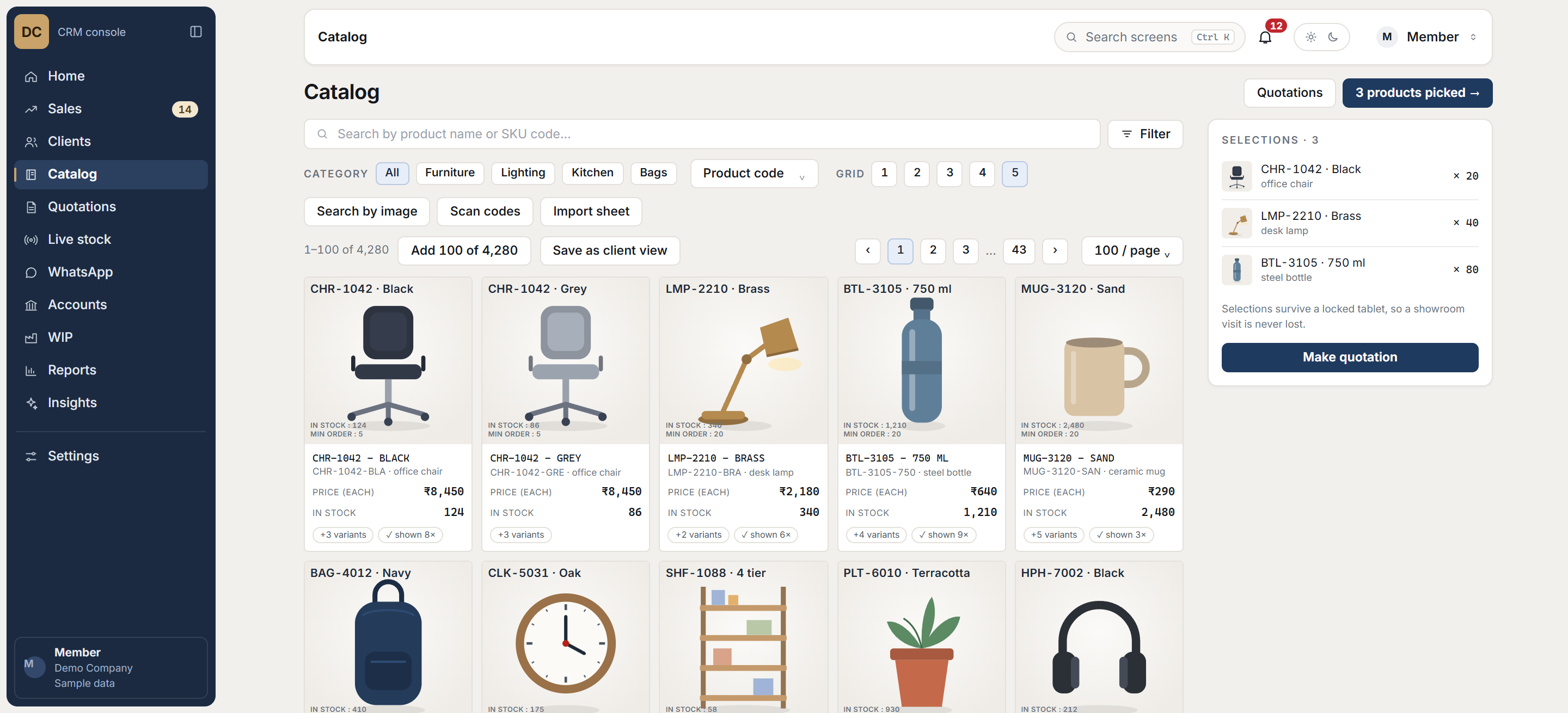
Screens recreated with sample data. The live system holds a client’s records, so it is never shown. See every screen
Questions
Common questions
How large a catalogue can it handle?
The catalogue we built holds well over ten thousand designs, paged and searchable. Size is an architecture question, and it was designed for it.
How does image search help?
Clients often arrive with a photo rather than a code. Image search finds the matching or similar products, which is otherwise a job for the one person who knows the catalogue by heart.
Can it connect to our stock?
Yes. In the system we built, the catalogue sits next to live stock and production, so a salesperson can tell what is available now and what is being made.
Related